Kubernetes security news can sound like a stream of technical warnings meant for large engineering departments. For a small business, the practical question is simpler: could a flaw, weak setting, or stolen credential expose your applications, customer records, or internal systems? Kubernetes is a platform for running containers, and it can be operated directly, through a cloud provider, or by an outside technology partner. Each arrangement creates different responsibilities.
The useful way to follow Kubernetes security news is not to chase every headline. Instead, connect each report to your own environment. Find out who manages the cluster, which workloads run there, what data they can reach, and how quickly someone can apply a fix. That short inventory often reveals more actionable risk than a long list of security products.
Why Kubernetes security news matters to a small business
Kubernetes is popular because it helps teams run applications consistently across servers and cloud environments. A small software company, online retailer, accounting platform, or healthcare service might use it without having a full-time security engineer. The cluster could be part of a managed service from Amazon Web Services, Microsoft Azure, or Google Cloud, or it could sit on company-controlled infrastructure.
This flexibility also creates a shared-responsibility problem. A cloud provider can secure the underlying facilities and many platform components, but your team still controls identities, permissions, container images, application secrets, network policies, and the data inside the workloads. A managed Kubernetes service does not automatically make an unsafe application safe.
Recent Kubernetes security news often involves one of four practical issues: a vulnerability in the control plane or a related component, excessive permissions, exposed management interfaces, or compromised images and dependencies. These problems are different, but they can lead to the same business outcome: unauthorized access, downtime, data exposure, or expensive emergency work.
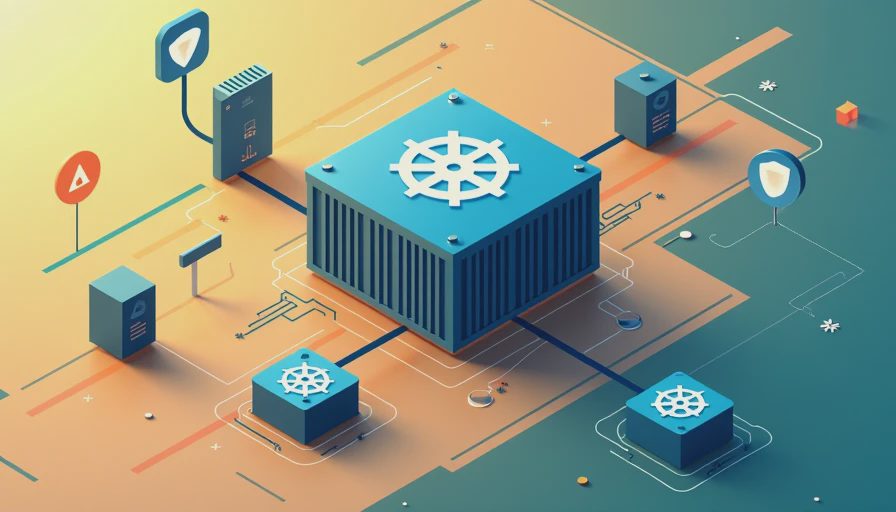
How to read a Kubernetes security alert
Start with the affected component and the version range. A headline about Kubernetes itself might not apply if your provider manages that part of the service, while a warning about an ingress controller, dashboard, container runtime, Helm chart, or third-party add-on may still require action from your team. Kubernetes security news is useful only when you translate the technical name into an ownership question.
Ask four questions. Is the affected component installed in your environment? Is it internet-facing or reachable only inside a private network? Does the vulnerable service have access to sensitive credentials or production data? Can you update it without disrupting customers? The answers help you rank the issue instead of treating every alert as an emergency.
A critical rating deserves prompt attention, but severity alone does not determine business risk. A vulnerable test cluster with no customer data may be less urgent than a moderate issue affecting an exposed production service. Keep a written record of the alert, affected versions, owner, planned fix, and verification step. That record becomes valuable during an audit or incident review.
The controls that reduce common Kubernetes risk
Identity and access management should come first. Require multifactor authentication for cloud consoles, source-code systems, and administrative accounts. Avoid shared administrator credentials. Give developers the permissions they need for their work, but do not give every user cluster-admin access simply because it is convenient. Review service accounts as carefully as employee accounts, because automated workloads can retain powerful permissions long after a project changes.
Protect the Kubernetes API server and management dashboards from direct public exposure unless there is a clear, documented reason. Use private networking, approved access paths, strong authentication, and logging. Network policies can limit communication between workloads, so a compromised web container does not automatically have a clear route to a database or internal service.
Treat container images as software supply-chain inputs. Use trusted registries, scan images before deployment, remove unnecessary packages, and rebuild images when important base components change. Pin versions where practical rather than pulling an unpredictable latest tag. Store passwords, API keys, and tokens in a secrets-management system instead of placing them in source code, container images, or plain configuration files.
A realistic security routine for a small team
A workable routine does not require a security operations center. Once a month, export or review the list of clusters, namespaces, workloads, privileged accounts, service accounts, and public endpoints. Compare that list with your application inventory. If nobody can explain why a dashboard, test namespace, or old account still exists, put it on the cleanup list.
When new Kubernetes security news appears, assign one person to triage it and one technical owner to fix it. Check the provider advisory, release notes, and remediation guidance rather than relying on a social media summary. Take a backup or confirm recovery procedures before a significant production change. Apply the update in a test environment when time allows, then verify the running version after deployment.
Logging should answer basic questions: who changed a deployment, who accessed the cluster, when a privileged role was granted, and whether a workload began making unusual connections. Send important audit logs to a separate location so an attacker cannot quietly erase the evidence from the affected environment. You do not need to retain every possible event forever, but you need enough history to investigate a suspicious change.
Choosing help without overbuying
If your company uses a managed Kubernetes service but lacks internal expertise, an experienced managed service provider can handle patch coordination, access reviews, monitoring, and incident support. Ask how the provider documents ownership and whether after-hours assistance costs extra. A low monthly price can become expensive if the contract excludes emergency response or charges separately for basic changes.
Security tools can help, but buying a platform before mapping the environment often creates unused dashboards and renewal costs. Start with cloud identity controls, vulnerability scanning, centralized logging, endpoint protection for administrator devices, and reliable backups. Tools from vendors such as Microsoft, Google, AWS, Aqua Security, Sysdig, or Wiz can fit different environments, but brand recognition is not a substitute for coverage and support.
Request a short demonstration using your actual workflow. Can the tool identify a vulnerable image, explain which workload uses it, show whether it is exposed, and produce a fixable report? Can a non-specialist understand the alert? A product that generates hundreds of findings without ownership or prioritization may increase workload rather than improve protection.
A simple response plan when something goes wrong
If you suspect unauthorized Kubernetes access, do not begin by deleting everything. Preserve logs, record the time of discovery, and restrict affected credentials. Revoke or rotate exposed tokens and secrets, but coordinate the change so you do not destroy evidence or interrupt a recovery process. Isolate a suspicious workload or endpoint while keeping a known-good path available for customer service and internal communication.
Next, determine the scope. Review API audit events, cloud identity logs, source-control activity, image history, deployment changes, and unusual outbound traffic. Look for new privileged accounts, modified workloads, unexpected cryptocurrency-mining processes, and access to databases or object storage. If customer, employee, or regulated data could be involved, contact qualified incident-response and legal professionals promptly.
After containment, rebuild from trusted images and clean configuration rather than assuming an altered container is safe. Close the original access path, test restored services, and document what changed. The best outcome from following Kubernetes security news is not panic; it is a repeatable process that makes the next alert faster and less costly to handle.
Turn news into a manageable security decision
Kubernetes security news deserves attention when it connects to an asset your business actually uses. Keep an inventory, confirm who owns each control, limit administrative access, protect secrets, scan images, restrict network paths, and maintain recoverable backups. Those steps address common failure points whether the cluster is managed by your team, a cloud provider, or an outside partner.
Set a calendar reminder for a monthly review and a short quarterly access check. Measure progress with concrete questions: Are old accounts removed? Are critical images updated? Can the team restore an important service? Is someone available to make a decision during an incident? If the answers are unclear, start there before purchasing another security product.
For a small business, strong Kubernetes security is less about collecting headlines and more about reducing uncertainty. Use Kubernetes security news as a trigger to verify exposure, assign responsibility, and make one documented improvement at a time. That approach keeps security practical, budget-conscious, and connected to the systems your customers depend on.





No feedback yet — submit the first.